

Learn Cycles Space inside Space.
A welcome presentation, videos of 15 to 40 seconds, manuals as slides and a certificate at every step. From day one to your area’s Field.
Seven modules. Two manuals. A certificate for each.
From the basics to your area’s Field, at your pace. Sign in to Cycles Space to watch: every video leads to the right Help Center topic.
Welcome · Boarding
The welcome presentation, with real screens, and the six first-week steps. Cycles Space checks off what you have already done.

Cycles Space Basics
The Home, Ask Cycles, connections, the team, calendar, messages and files.

Building with Cycles Space
Documents, sheets, presentations and ads, Engine and meetings with an agenda.


Cycles Intelligence
Ask Cycles analyzing the numbers, reports and Routines.

Running the Company
Ops, Contacts, Treasury, Governance and Terminal, with company analysis.
Operations+
Catalog and Production: items, invoices and ERP, recipes, capacity, lots and materials.
 0:30Operations+ · Catalog: items, prices and invoices0:40Operations+ · Inside Catalog: currencies, packaging, suppliers and tax0:40Operations+ · Invoices from any country and Odoo
 0:30Operations+ · Production: from order to delivery0:36Operations+ · Inside Production: resources, holidays and recipes0:40Operations+ · Orders, capacity, lots and materialsManualContacts, People and Operations+Sign inand start here
Cycles Fields
M&A with Valuation, PE & Investors with Wealth, and Restructuring & Turnaround.




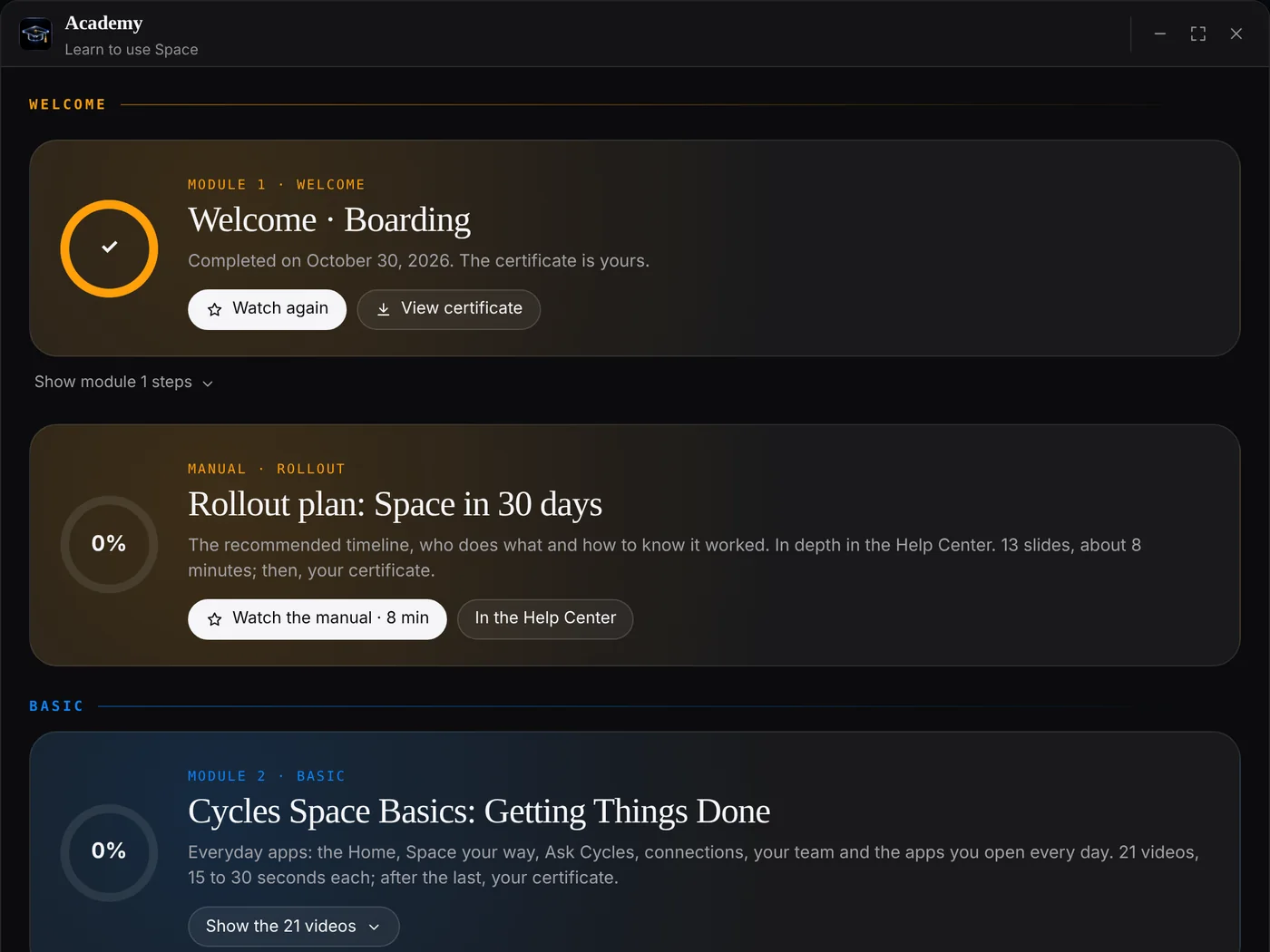
All in one place.
- Open it from the Dock, the Apps grid or search.
- The module in progress stays open. The others wait their turn.
- Admins see each team member’s progress.
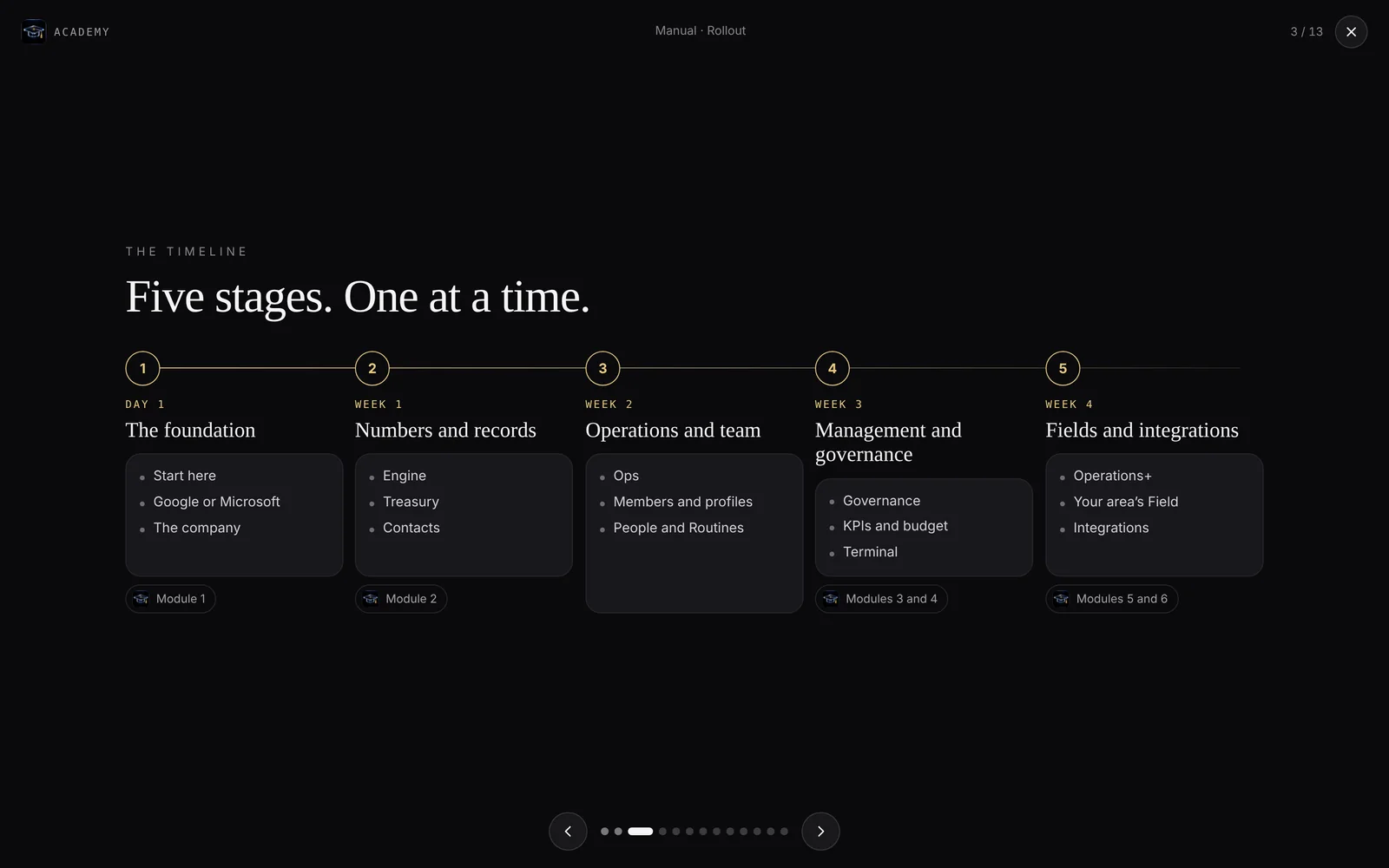
They play like a presentation.
- Arrows, a clicker or a tap on the dots.
- With real Cycles Space screens.
- On the last slide, your certificate.
Four steps. The first takes a minute.
Sign in to Space.
With your company account. Academy comes with the Cycles Space subscription.
Sign in →Open Academy.
From the Dock, the Apps grid or search. The Home shows where you left off.
Start with Welcome.
Ten minutes and six steps. Then, your first certificate.
Follow the Rollout plan.
Cycles Space in 30 days, stage by stage. The Help Center shows where to click.
Every step, a certificate.
- With your name, the module, the date and a code.
- A public link anyone can check.
- Ready to share on LinkedIn.