 Cycles Cloud
Your company’s files. In one place.
Kept as they are. Ask Cycles reads only what you choose.

Kept as it is.
In the original format
PDF, Word, Excel, photos and decks, just as they arrived.
Out of search
Ask Cycles doesn’t read what’s in Cloud.
You choose
Want an answer? Make the file searchable.
Work with what you already use.
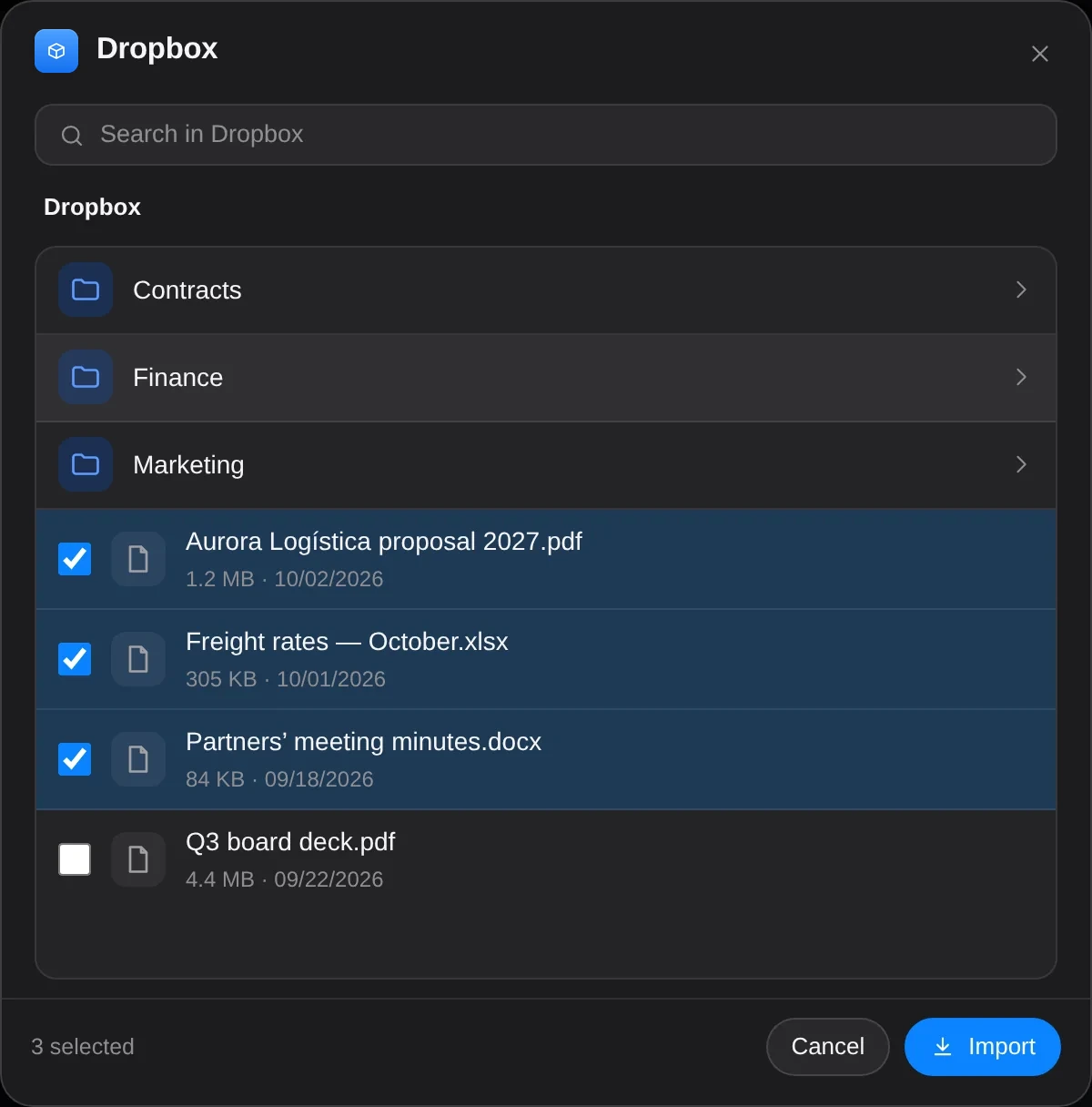
Connect your account and pick the files you want to use in Cycles Space. The originals stay where they are; a copy is kept in Cloud, in its source folder.
- Google Drive™
- Microsoft OneDrive
- Dropbox
- Google Calendar
- Microsoft Outlook
- Microsoft Teams
Folders your way.
Folders
Create your own, or keep the source’s.
Many files at once
Pick several files and use them all in Cycles Space.
Wherever you are
The same Cloud on computer and phone.
When you want an answer, one tap.
The file moves to Cycles Data, where Ask Cycles finds it and answers with the source.
Cycles CloudKept Cycles DataSearchable
Cloud, Data and Ask Cycles. One Space account.
 Ask CyclesFinds
Sign in to Space and your whole company is with you, wherever you are.
 Sign in to Space ›
Try Cycles Space.
Step into Cycles Space with your own company — the door to everything. Your access arrives by email in moments.
Once you’re in, share that you are building your autonomous company and get extra Ask Cycles credits.